
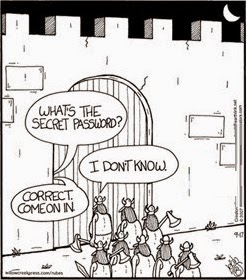
More Secure Than Your Password

Hackers break into corporate computer systems and release lists of usernames and passwords on the open web. Home PCs are vulnerable to malware, viruses and other tricks to access your personal, financial and private information. These have now become regular occurrences. The most common weakness in these types of hacks is the password. Passwords are a technology from a time when our computers were not inter-connected. The age of the password has come to an end. 
Here are some security technologies that, once implemented, will replace the traditional password.

BioMetrics
Biometrics authentication is used in computer security as a form of identification and access control. It refers to using physical human characteristics and traits instead of a manually entered password. Examples include, but are not limited to, a fingerprint, palm print, facial recognition, retina pattern and even DNA. The products that allow client access will have biometric readers that interface with the host security system.

No one method of biometric security is said to do the best job of protecting system access. When you consider biometric security, you want to select a physical characteristic that is constant and does not change over time, and are also difficult to fake or can be changed on purpose. You also need to consider that some biometric security metrics are consider more invasive than others (e.g. DNA vs. facial recognition). Some methods take a lot of time to execute, such as a retinal scan which can take as much as 15-30 seconds. In addition, ethical use issues have been raised over some of the biometric security metrics. The details of the methods and issues will not be addressed in this post.

Fob
A fob, also called a key fob or token, is a small security hardware device with built-in authentication used to control and secure access to a network and data. Typically, the fob randomly generates an access code, which usually changes every 60 seconds. These one time use codes are the “password” used to validate system access, and they work as long as timing and code algorithm synchronization exists between the client’s fob and the host authentication server.

Disconnected fobs are the most common type of security  fob, and do not have a physical connection to the client’s computer. They use a built-in screen to display the generated authentication code, which the client manually enters via the keyboard. Bluetooth technology is also used as a disconnected fob.

Connected fobs must be physically connected to the client’s computer. Authentication is automatically performed once a physical connection is made, eliminating the need for the client to manually enter the authentication code. Smart card technology is also used as a connected fob.

Wearables
A “wearable” refers to a mobile device such as a cell phone or tablet computer. With wearable security, authentication is a 2-step process. The client enters an account identifier code via a keyboard. The security system then transmits a one-time use pass code to the client via a pre-registered email address, or device for an SMS (text message). Upon receipt of the pass code, the client enters that code via the keyboard. That code is not used again. Typically, the security system will accept the transmitted code only within a set period of time before the code expires. If the code expires before successfully entered, the client must request a new code.
In the Mean Time…
Until you implement stronger security measures, the first step in improving security is to have strong passwords. In SplashData’s recently released list of worst passwords, the 2-time annual winner (or loser) of the most common (and therefore worst) password is “123456”. Following that is “password”. People continue to put themselves at risk by using weak, easily guessable passwords. Individuals and organizations must encourage the adoption and enforcement of stronger passwords.
Microsoft’s tips for creating strong passwords are:
  • Is at least eight characters long
  • Does not contain your user name, real name, or company name
  • Does not contain a complete word
  • Is significantly different from previous passwords
  • Contains characters from each of the following four categories:
    • Uppercase letters
    • Lowercase letters
    • Numbers
    • Keyboard symbol characters (e.g. !@#$%, etc.)
For example, a password of “troubadours” is not considered very strong. A stronger choice would be “Tr6uB@d0ur$”.

I encourage you to leave a comment by clicking on “…comments” below…
David Schuchman

from BCNJ Member Blog Feed http://dlvr.it/7XPg0M
via IFTTT

Posted in Member Contributions Tagged with: ,

America, the Land of Marketing and Selling

Every morning when I get to my computer, I’m amazed at how many companies have targeted me as someone in need of their products or services. I take it in stride, though, because in 99 percent of the cases, I’m of course not interested, and I know that the e-mail has been sent to a […]

The post America, the Land of Marketing and Selling appeared first on Landing Expert Career Coaching.

from BCNJ Member Blog Feed http://dlvr.it/7W9WxN
via IFTTT

Posted in Member Contributions Tagged with: ,

How to Benefit from the Positive Job Market Outlook

Based on a recent survey by economists, the job market outlook is projecting steady growth in employment. Recruiting consultant CareerXroads reports that new companies find 28 percent of their hires via referrals. Job boards represent one in five applicants, or 20 percent. And career Web sites, about 10 percent. For job seekers or those who […]

The post How to Benefit from the Positive Job Market Outlook appeared first on Landing Expert Career Coaching.

from BCNJ Member Blog Feed http://dlvr.it/7P9tlr
via IFTTT

Posted in Member Contributions Tagged with: ,

Where is the Project Management Profession Headed?

Where is the profession headed? Is Project Management going the way of CMMI and becoming less relevant? Are there versions of Project Management that will continue and others that will fade away? Which vein of Project Management should Project Managers (PM) focus on?  There are a number of PM gurus that have their own beliefs and suggestions for the future focus of our industry. However, isn’t the answer “it depends?” Unless you are a freelance PM, isn’t what you should focus on be dependent on your organization’s focus?

I hear, very often, that Project Management is going the way of an Agile process. My only caution is that this may become an excuse to have PMs become more ad hoc, or without process. I do like the Agile approach, I just caution senior management’s motivation. I also believe that a Project Management Office (PMO) approach is a valid and good process. As long as it is used as a carrot and not a management stick. We as PM must remember that we must complete a project and NOT a process.
So, my next questions and responses are what I believe the PM profession is headed.
Do I focus only on what my organization is focused on?
Yes, you have to fulfill your duties as an employee. But that doesn’t mean you can’t keep up to date on what is new and up and coming in Project Management. I posted a blog on 1/19/13 about an article I read in the previous November’s Information Week. The author discussed his findings that organizations he was following were closing up Project Management Offices (PMO) and the lines of business were having their PMs run Agile projects. I have been reading up on Agile Project Management and I believe that it has both its good points and points that I am not too comfortable with. As a member of a PMO and formerly a PMO in a Professional Services Office (PSO), I found my clients wanting documentation and the ever famous MS Project as deliverables on a weekly or every other week basis. Going to Agile may be an internal change, not a client-facing change.
Are there trends I should pay attention to?
As I mentioned above, the trends in Project Management seem to lean towards Agile. I read a book about 4 years ago titled, Reinventing Project Management, by Shenhar and Dvir and I attended a session where Mr. Shenhar presented the findings discussed in his book. He and Mr. Dvir argued that Project Management had to go through a change in the process of its foundation and think about the value of a project differently. I have stated in multiple blogs that a project must be linked to the organization’s strategy and that has to be communicated to all.  Messrs. Shenhar and Dvir argue that a project should be broken up and developed differently. In other words, the initiation phase has to be its own project, as does the planning phase. This is because when a project is originally planned, things may change when it gets to the execution phase.
In bigger projects, I strongly agree with Messrs. Shennar and Dvir. In shorter projects, that should not be the case, especially if the project is less than 6 months’ duration. However, my point is that we have to pay attention to these trends and see if they apply in the organization we currently work in. I do not mean to reject these new trends out of hand, as they bring a lot of value to our thinking process. However, in a strongly documented process, the PM must be careful not to be the one to upset the current process, but be the PM that suggests gradual changes. 
If I am not following the “new trend” am I going to be considered “old school?”
Why is old school considered so bad? Change is inevitable, but change sometimes comes slowly. This does not mean that the PM does not stay tuned to new theories. It does mean that the PM should be involved with his/her PMI chapter, even if it is once a year at a symposium. Attend the unusual sessions that introduce new theories. Study and write about them and keep informed of new processes. However, keep yourself grounded in the current process of your organization. This may sound like the “safe” way to keep informed of new theories. Maybe I am more grounded than other PMs, but I am also tuned into the new theories and new processes of what a PM should be studying. That may be the step necessary for all of us to take.

I am open to discussion at any time on these blogs or anything else related to project management you would like to explore. If you would like to comment about this blog, please do so by posting on this blog or by responding in an email at Benny A. Recine. You may inspire a blog article. I look forward to your comments.

from BCNJ Member Blog Feed http://dlvr.it/7NpnZj
via IFTTT

Posted in Member Contributions Tagged with: ,

Conference Call Etiquette

A conference call is when one or more of the parties are in different locations and situations. We have all been on a conference call where people show up late, become a distraction by forgetting to put their phone on mute, or have sidebar conversations (we can hear) with others not on the call.

Here are a few guidelines you should strive to follow when attending a conference call.

Set the Ground Rules
If you are the one that initiated the conference call, let the others on the call know some of the basic ground rules pertaining to etiquette. Ahead of the call, provide the meeting start time, duration and agenda. You can also identify what will not be discussed on the call.
Keep Track of the Conference Call Start Time
Make sure you know when your conference call begins, and be sure to keep the conference call number and pin handy so you are not scrambling to find it at the last minute. Your meeting reminder should not come from a call or email from someone who is waiting for you to join the call.
Never Put Your Phone on Hold
If your hold feature plays background music it will play into the conference call and make it very difficult for the other participants to continue the meeting in your absence.
Mute Your Phone When You are not Speaking
Mute your phone to avoid distracting sounds, conversations, or noises that are not applicable to the conference call. Muting your phone will help you avoid embarrassing sighs, munching noises from eating your lunch, sidebar conversations, or other background noise.
Be Prepared
Like with all meetings, you should do some prep work or write down questions that you would like to address on the conference call. Like any meeting, you want the conference call to be productive and not spawn other calls/meetings because of lack of preparation.
Pay Attention
When you call in to a conference call there are other distractions in front of you: emails in your inbox, coworkers asking questions, work piling up on your desk, etc. If someone asks you a question on the call and you do not realize they are talking to you until the end of their question, it will be obvious that you were not paying attention. Don’t be the person who always has to ask others to repeat their question.
I encourage you to leave a comment by clicking on “…comments” below…

David Schuchman

from BCNJ Member Blog Feed http://dlvr.it/7NZy6N
via IFTTT

Posted in Member Contributions Tagged with: ,

The Art and Science of the Face-to-Face Interview

Consider yourself very lucky for being considered for a face-to-face interview. It just means that you survived the first phase of the competition; your résumé projected you as someone deserving of further exploration; and you outshone the vast majority of your competition. The most critical test, however, is still ahead of you. You are at […]

The post The Art and Science of the Face-to-Face Interview appeared first on Landing Expert Career Coaching.

from BCNJ Member Blog Feed http://dlvr.it/7LCL5p
via IFTTT

Posted in Member Contributions Tagged with: ,

Monthly Meeting

The Breakfast Club NJ Presents: “Selling Yourself” by Joey Himelfarb

Saturday November 8, 2014 at 8:00am ET

The Presentation: “Selling Yourself”

Aristotle believed an important skill any person could have was the ability to influence.

Have you ever had to convince your colleagues, department heads, or company executives to try a different tactic in acquiring new business? Ever tried to get your customers to buy your stuff? Ever tried to get your kids to behave a certain way? Ever go on a job interview?

Join us for a thought provoking, highly interactive, and entertaining program that will demystify your views of selling and help you to better sell yourself. With a blank white board or flip chart, 2 different colored markers, and an audience thirsting for knowledge, you will:

* Discover how you can apply selling theories and techniques to help you land whatever job you desire. (Hint: no rocket science involved, but Rocket Scientists can surely benefit.)

* Hear new ideas about old sales strategies that focus your attention on getting hiring managers to consider you for the job you want. (Make them wonder how they ever got along without you.)

* Learn how to put a different spin on the job search activities you currently perform…so you can distinguish yourself from your competition…so you can bolster your pipeline…so you can improve your chances of getting employed. (Make the people you talk to feel glad they met you.)

About the speaker:
Joey Himelfarb (all his friends call him Joey) has been selling for over 20 years. Whether it’s multi-million dollar computing and telecommunications systems to Fortune 100 companies around the world, or consumer products in a homeowner’s backyard or driveway, or even their own home, Joe enjoys helping his clients ge from where they are to where they want to be.

Joe’s passion is being on stage and encouraging people to maintain positive mental attitudes. His contention is that we sell everyday and being negative serves no function. To that end, and on a regular basis, Joey facilitates seminars to unemployed individuals as well as small business owners.

Most people who have participated in these seminars have learned new tactics for selling themselves and maintaining positive mental attitudes in their professional and personal lives. And some attendees have actually seen and heard a unique similarity in Joey’s presentation style with a famous comedian who has had success hosting several Oscar Award Show Ceremonies.

Networking begins at 7:30 am, meeting starts promptly at 8:00 am.

There is a $10 fee at the door to cover the cost of the room.

Be sure to tell your friends and bring them along.  Be a part of our growing network of Job Seekers, Hiring Managers, Recruiters, Career Coaches, and people who want to be able to help themselves and each other.

Event Location:

Days Hotel Conference Center

195 Rt. 18 South, East Brunswick, NJ 08816

732-828-6900

Posted in Monthly Meeting

Women versus Men in Job Interviews and Salary Negotiations

For both genders, anxiety before the interview may be present, but studies show that women handle it better. Women adapt more proactively than men do. Women seek social support from colleagues and friends more than men do. And women are more prone to do mock interviews with those colleagues and friends more than men are. […]

The post Women versus Men in Job Interviews and Salary Negotiations appeared first on Landing Expert Career Coaching.

from BCNJ Member Blog Feed http://dlvr.it/7F0MrD
via IFTTT

Posted in Member Contributions Tagged with: ,

Consider Hiring an Older Skilled Worker

Until recently, companies had smaller budgets, which led to some people being promoted into higher positions or management with little experience. However, good workers do not always make effective managers. To stay competitive in today’s marketplace, companies now need to make an effort to attract and retain older workers.

Here are some reasons to attract older workers:

A Less Risky Hire

Companies invest many hours and financial resources into the screening, hiring and training of new employees, only to find that many employees leave for “greener pastures” in order to ascend through their career path. Older workers tend to be more interested in stability where younger workers might be more concerned about moving up the corporate ladder as quickly as possible. In addition, making a poor employee selection will cause your management to look poorly upon you and your decision.

They Are Focused
Older people have been working their entire adult life and are often not searching for the next opportunity at another company or a new role like younger workers. They know exactly what they want to do, are typically satisfied with a good work opportunity, and are focused on getting the work done. 
Maturity
Compared to their younger colleagues, older workers have years of experience you can’t teach or replace. Maturity comes from years of life and work experiences, and makes for workers who get less “rattled” when problems occur.
Efficiency
Their years of experience in the workplace give older workers a superior understanding of how jobs can be done more efficiently, which saves companies money. Companies can save the cost of many man hours lost to inefficiency.
Confidence
Older workers have confidence, built up through the years, which means they won’t hesitate to share their ideas with management. People without that confidence may keep their ideas to themselves because of an irrational concern that they won’t get credit for their ideas.
Battle Tested 
Many industries are cyclical and older workers have experienced the highs and lows, making them more the wiser. The great recession and housing market crash of 2008 was something the country also experienced in the early 1980s. Old members of the workforce learned valuable lessons that helped them weather the recent economic storm and prepare their companies for the next one.
They have Strong Networks
Older workers have been in the workforce longer and they’ve had more time to meet people and network along the way. Hence, they have stronger professional network of clients, vendors, partners and other professionals that serve within their industry.

Reduced Labor Costs 
Some older workers have insurance plans from prior employers or from a spouse/partner. In addition, some have an additional source of income and are willing to take a little less to get the job they want. They understand that working for a company can be about much more than just collecting a paycheck.

I encourage you to leave a comment by clicking on “…comments” below…
David Schuchman

from BCNJ Member Blog Feed http://dlvr.it/7D4xQs
via IFTTT

Posted in Member Contributions Tagged with: ,

Not Everyone Wants More Responsibility

As a manager, one of your most important obligations is to make your staff feel truly valued and letting them know that your company, department and you would be worse off without them. In many cases, you recognize the successes of your top performers by giving them more responsibility. However, you must consider that not everyone may want more responsibility.

The Peter Principal
The Peter Principle is named after Laurence J. Peter who co-authored the humorous book, “The Peter Principle: Why Things Always Go Wrong.” One of the theories discussed in the book is that management stops promoting employees once they can no longer perform effectively. In some cases, employees have determined their own level of where they perform effectively. Hence, they are hesitant to accept more responsibilities or a promotion when they have reached that point.

They are Happy With Their Current Responsibilities
Hopefully, your staff are good at what they do. In some cases, they are very happy doing the job they have already attained. When that happens, they simply may not want new responsibilities or a different job within the organization.

It will Cost Other Opportunities
Some staff will consider the added responsibility a “dead end”, that it will hurt their professional reputation, or that it will cost them other career opportunities. Most people want their next position to allow them to grow their skills and experiences, and to be applicable to their career path. They may turn down responsibilities that contradict their professional vision.

They Recall Their Work History
Some staff have previously been rewarded with new responsibilities. They recalled what their initial and long term performance was when they received it and felt they did not adjust well. They experienced difficulties with the added work, new client interactions, new time demands, etc. Some people do not want new additional responsibilities because they expect it will cause them to become overloaded or unproductive again.
No Offer of a Salary Increase
Some people hesitate to accept new responsibilities when the amount of new work and time demands are not accompanied by added salary. It’s not to say that all added responsibilities deserve added salary. You need to reflect on this perception when giving more responsibility.

What are You to Do?
  1. Be sure to give your good performers praise.
  2. Offer new responsibilities to staff. But, do not force it upon them. Let them know why you are making the offer, and discuss how the new responsibilities will benefit their career path in addition to your organization. If they express concerns, assure them that you will be supportive during their transition. In the end, let them make the final decision.
  3. Compensate fairly. If the new responsibilities are worth more to the organization, then it may be justified to align that employee’s compensation with the new work opportunity.
  4. Consider that if you team is consistently working at their most productive capacity, it may be time to add staff to your team. You may need to document the team’s productivity vs. the work demands in order to make the case to your management.
David Schuchman

from BCNJ Member Blog Feed http://dlvr.it/746C8X
via IFTTT

Posted in Member Contributions Tagged with: ,